Bitcrust / Manual
Interface
The Bitcrust interface is organised into six tabbed panels, a persistent header strip, a side rail of live monitors, a playable MIDI keyboard, and a footer status bar. Every element is themed — switch themes from the SETUP tab.
Header strip

The top bar is always visible regardless of which tab is active.
- Preset selector — shows the current preset name. Arrow buttons step through presets; the star toggles favourite status. A trailing * on the preset name means the patch has been edited since it was loaded (cleared on save, reload, or A/B recall).
- A+ / A / B / B+ — A/B compare. A+ and B+ capture the current state into slot A or B; A and B recall them. Session-scoped (not saved to disk).
- Theme selector — the palette icon opens the theme picker (14 bundled themes). Keyboard shortcuts: < (previous) and > (next).
- INIT (🆕) — one-tap shortcut that loads the Init preset for sound-design from scratch. Confirms first if the current patch has unsaved edits; loads silently when clean.
- SAVE — opens the preset save modal with name, group, author, description, and tag fields.
- BPM readout — shows host BPM when synced, or the internal clock when running standalone.
Navigation tabs

Six tabs along the top: PRESETS, SYNTH, MODULATION, EFFECTS, SEQ/ARP, SETUP. Keyboard shortcuts 1–6 jump directly to each tab.
A MIDI PLAYER button sits next to the tabs in the Standalone build (hidden in VST3 / AU / AUv3 / LV2). It opens a popover with transport, scrubber, and a file dropdown that ships eight Bach Well-Tempered Clavier prelude / fugue pairs (BWV 846, 849, 870, 873) and loads user .mid files via a picker. Tempo follows the file by default; right-click the file dropdown to sync playback to the standalone BPM instead.
SYNTH tab
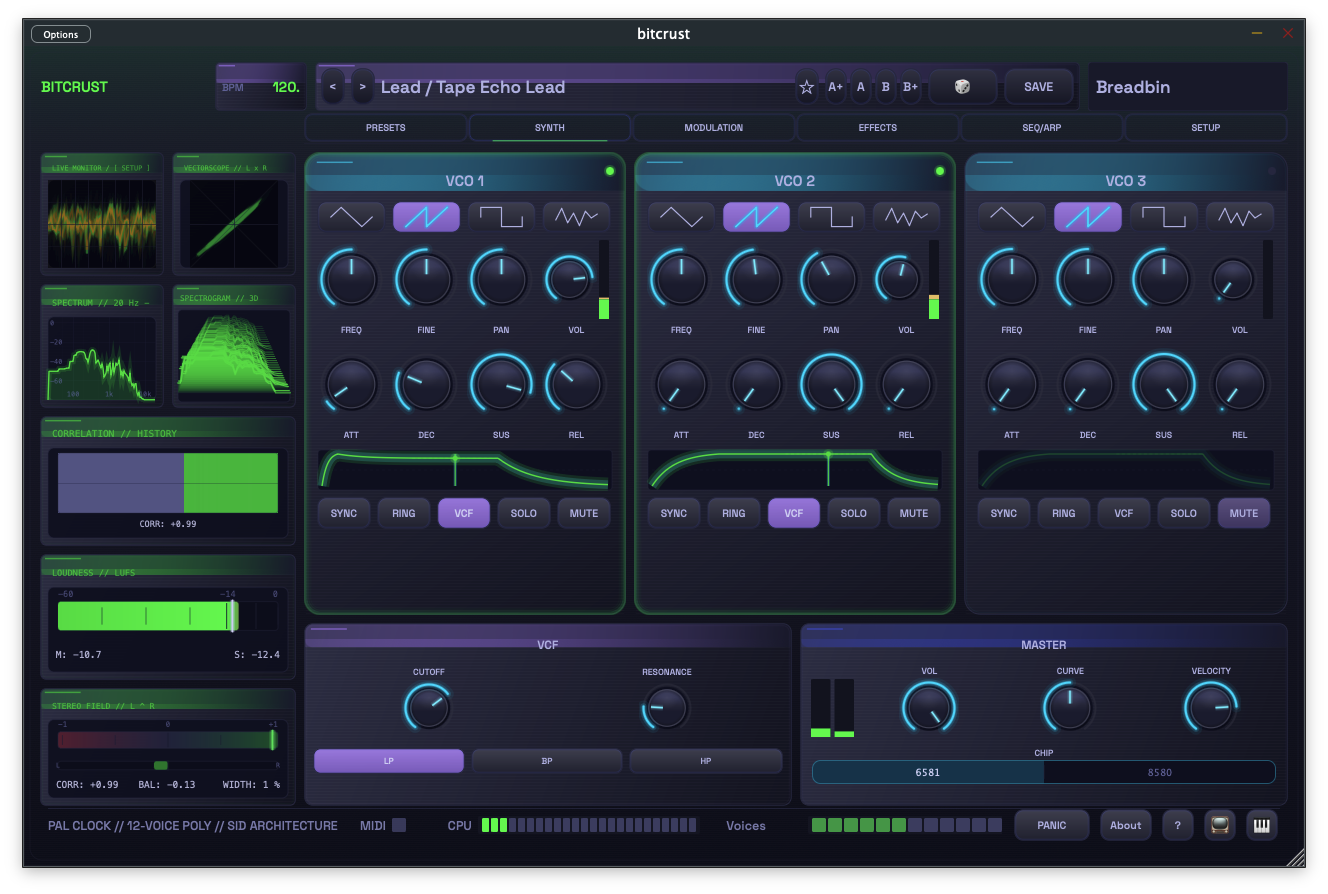
The main synthesis panel with three VCO columns (VCO 1, VCO 2, VCO 3), a global VCF section, and a Master section.
Each VCO panel exposes:
- Waveform selector (Triangle, Saw, Pulse, Noise)
- FREQ / FINE / PAN / VOL knobs
- ATT / DEC / SUS / REL envelope knobs with an inline ADSR visualiser
- SYNC / RING / VCF / SOLO / MUTE toggle buttons. Long-press (or right-click) SYNC for the hard-sync popover (Master / Ratio / Detune); long-press RING for the ring-mod shape popover (Depth / Ratio / Detune).
Each VCO panel also shows a live waveform scope (idle-dim of the selected wave shape, cross-fading into the actual oscillator output when a note opens the envelope) and, directly underneath it, a horizontal peak meter strip spanning the scope’s full width.
The VCF section has Cutoff, Resonance, LP / BP / HP mode buttons, a CURVE knob (filter character), and the 6581 / 8580 chip-model selector. The Master section has Volume, Velocity amount, an OUTPUT ON/OFF mute pill with click-free fade, and the L/R VU meter.
The VCF section also paints a live filter-curve display with a realtime spectrum overlay drawn behind the curve. When the filter is bypassed (no VCO routed in, or all of LP / BP / HP off) the curve dims to 25 % and flattens to a 0 dB response so the section visibly reads as inert.
PRESETS tab
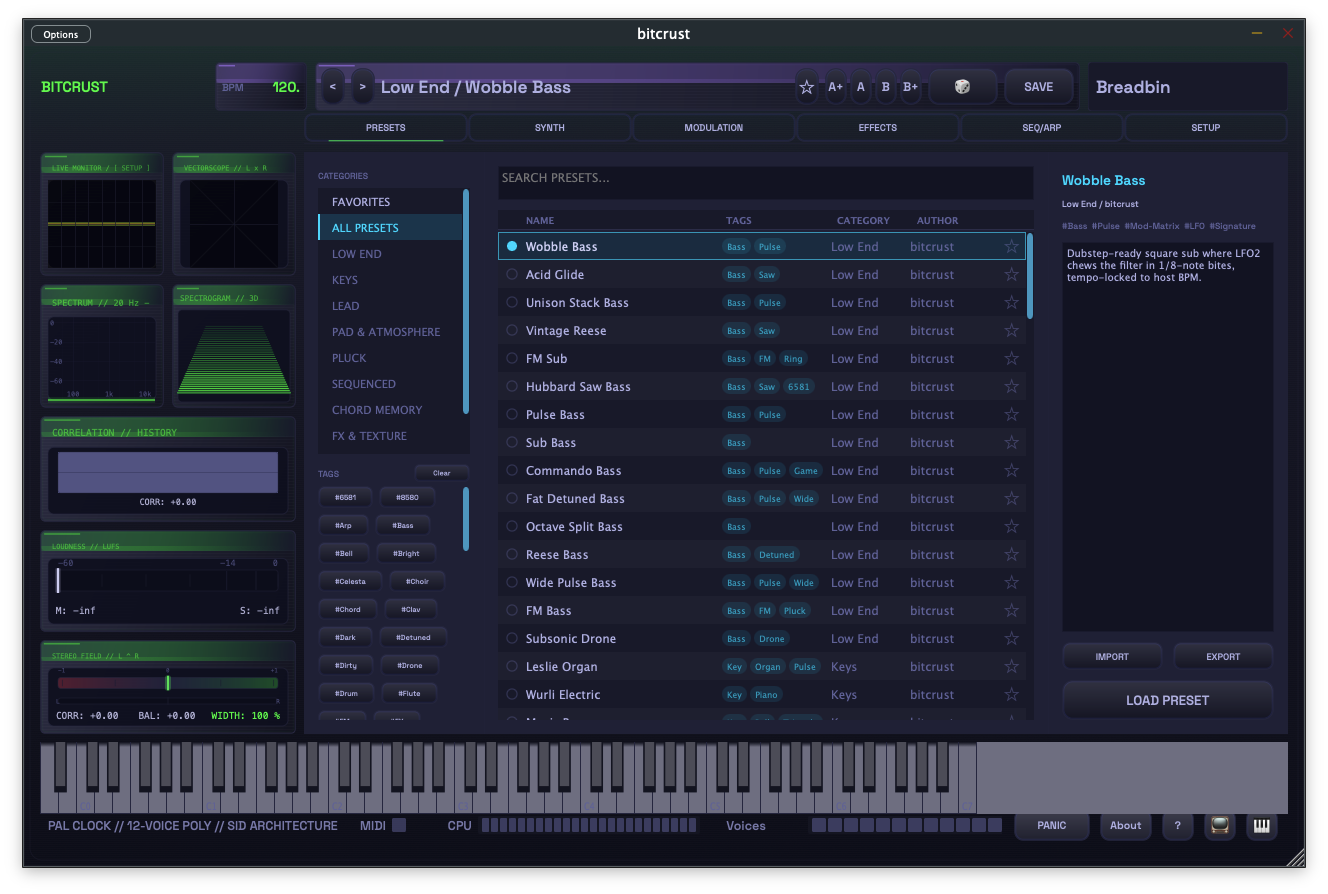
A full-pane browser with:
- Category sidebar — Favourites, All Presets, and auto-generated groups (Low End, Keys, Lead, etc.)
- Tag filter chips — union of all tags across factory and user presets, with a Clear button
- Search box — searches name, author, and description
- Preset list — name, tags, category, author columns. Click to preview metadata; double-click or press LOAD to apply.
- Metadata detail pane — name, group, author, description, and tags for the selected preset
- Preview toggle — when armed, highlighting a preset (row click or arrow key) loads the patch and plays C3 for 1.5 s so you can audition without committing. Preview notes bypass Hold; PANIC kills the in-flight preview note but leaves Preview armed. Preview state persists with the plugin state.
- IMPORT / EXPORT buttons for individual preset XML files
MODULATION tab
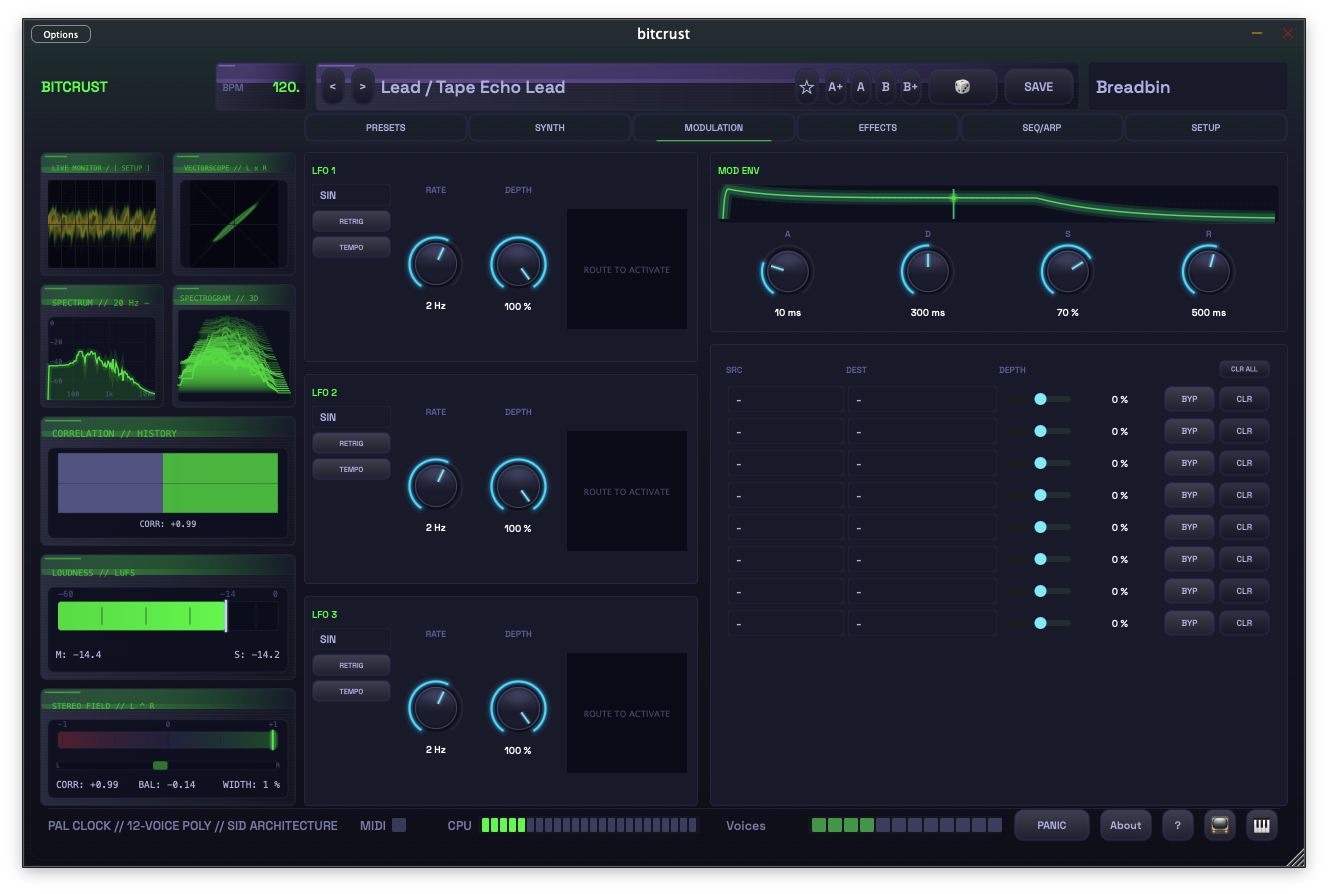
- LFO 1 / 2 / 3 panels, each with waveform selector (7 shapes), Rate knob, Depth knob, Retrig and Tempo-sync toggles, and a live shape scope
- Mod Envelope panel with A / D / S / R knobs and an ADSR visualiser
- 8-slot modulation matrix — each row has Source, Destination, Depth knob, Bypass, and Clear controls
EFFECTS tab
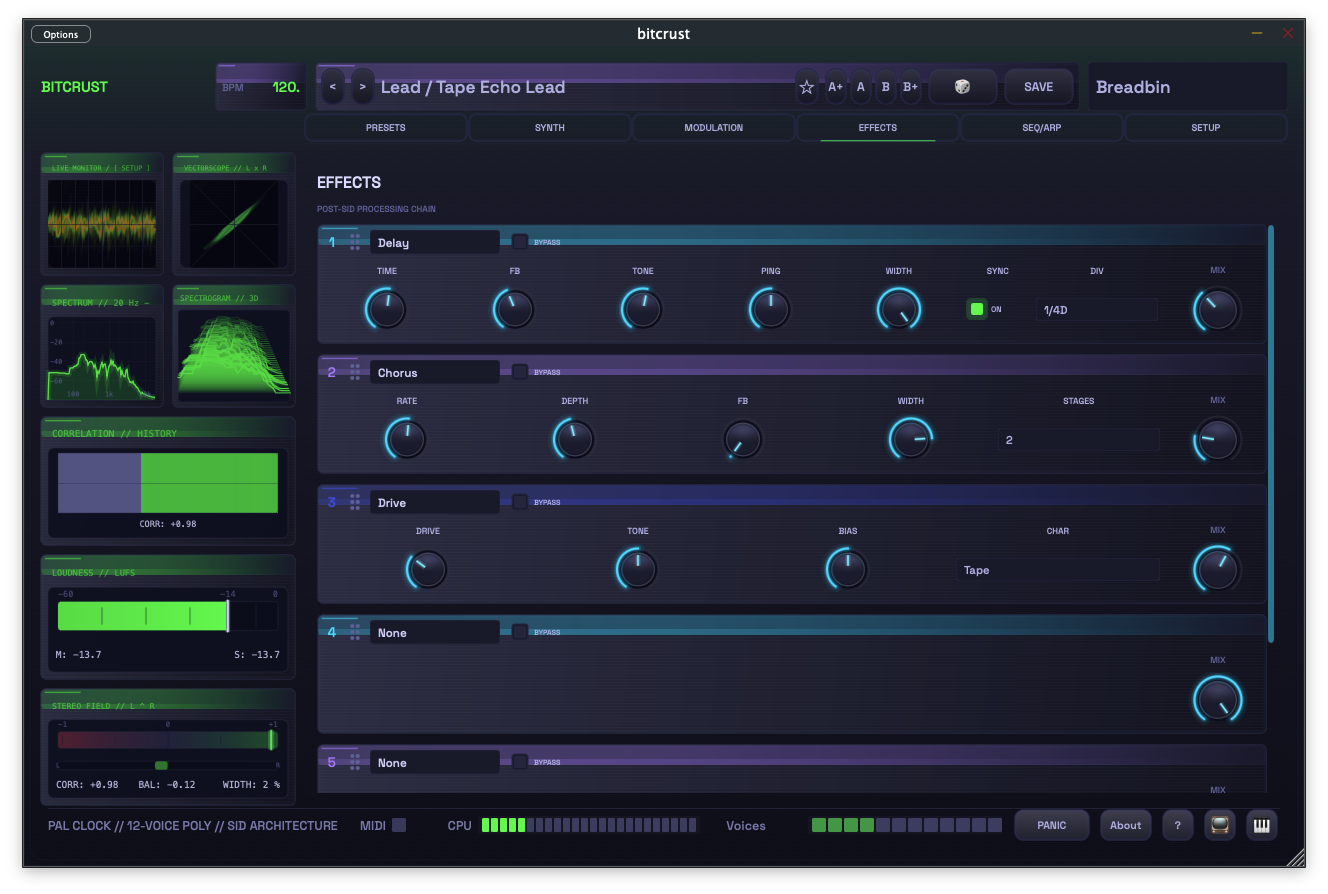
A 6-slot effects rack. Each slot has a type selector dropdown, a Bypass toggle, a Mix (dry/wet) knob, and a drag handle for reordering. Selecting a type expands the slot to show its parameter controls. Available effects: Drive, Bitcrusher, Delay, Chorus, Reverb, Compressor, Limiter.
SEQ/ARP tab
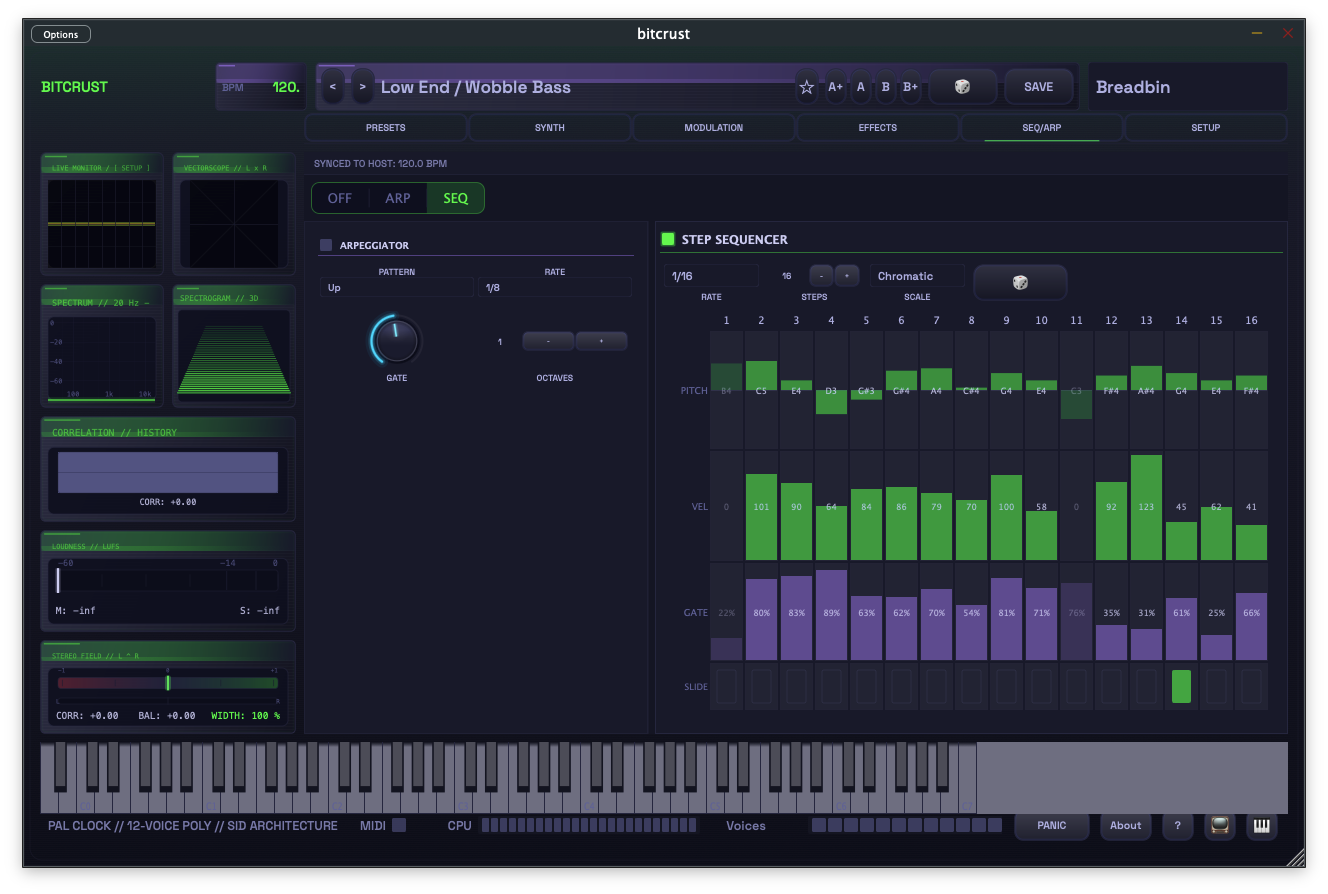
Left side: Arpeggiator controls (Off / Arp / Seq mode toggle, Pattern, Rate, Gate, Octaves).
Right side: Step Sequencer — 16-step grid with per-step Pitch, Velocity, Gate, and Slide lanes. Rate and Steps controls at the top. A scale/chromatic selector constrains pitch input.
Arpeggiator and sequencer are mutually exclusive.
SETUP tab
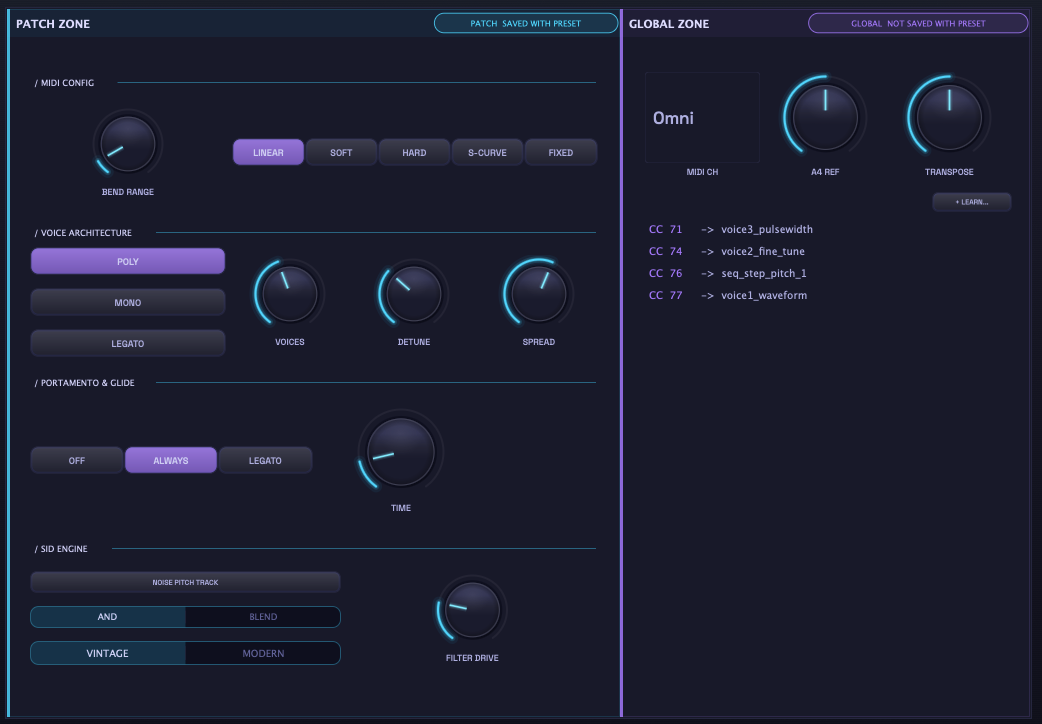
Split into two zones:
Patch Zone (saved with the preset):
- MIDI Config — Pitch Bend Range and Velocity Curve (Linear, Soft, Hard, S-Curve, Fixed)
- Voice Architecture — Poly / Mono / Legato mode, plus Voices, Detune, and Spread for unison
- Portamento & Glide — Off / Always / Legato mode and Time
- SID Engine — Noise pitch tracking, AND/Blend mix, Vintage/Modern character, and Filter Drive
Global Zone (not saved with the preset — machine-scoped):
- MIDI Channel (Omni or 1–16)
- A4 Reference Tuning
- Master Transpose
- + Learn… — enter MIDI learn mode; the list below shows current CC → parameter bindings
Side rail — live monitors
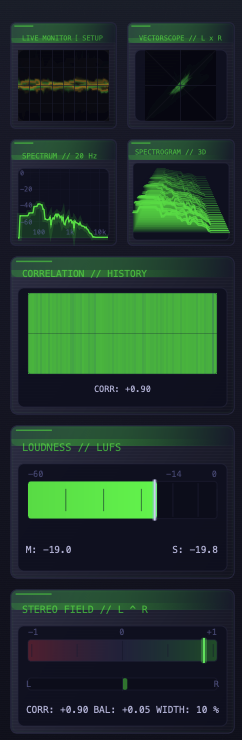
The left side rail hosts real-time visualisations, toggled from the monitor button in the footer. The top half is a compact 2×2 grid; the bottom half stacks wider panels:
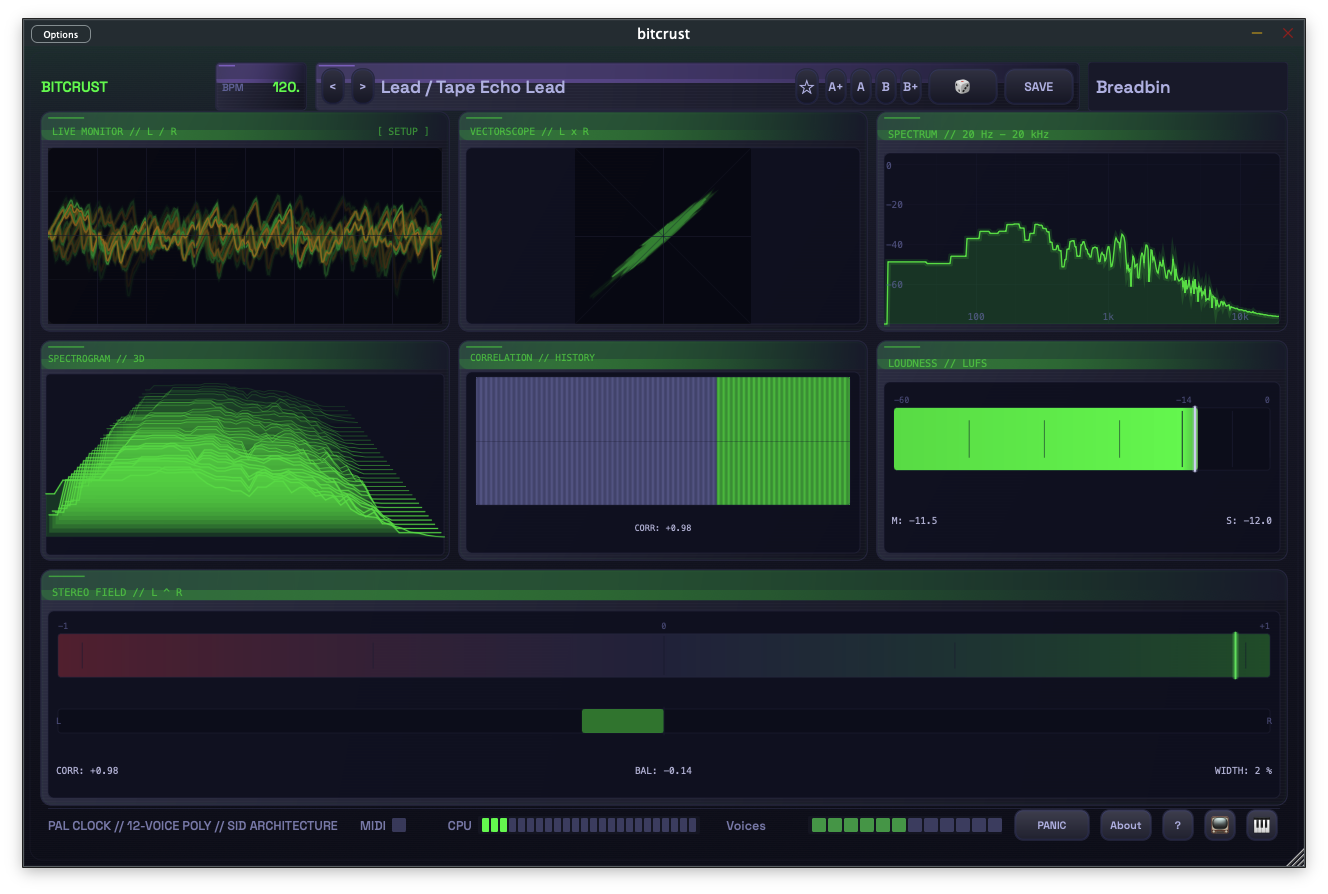
- Live Monitor — stereo oscilloscope with phosphor persistence
- Vectorscope — Lissajous L×R correlation plot
- Spectrum — 20 Hz–20 kHz frequency display
- Spectrogram 3D — waterfall display
- Correlation / History — rolling stereo correlation with live CORR readout
- Loudness (LUFS) — momentary (M) and short-term (S) loudness
- Stereo Field — correlation, balance, and width readout
All displays are gated on panel visibility — hidden monitors do not consume CPU. Toggle the monitor button in the footer to expand the displays across the full main pane:
Footer

- PAL CLOCK // 12-VOICE POLY // SID ARCHITECTURE status line
- MIDI activity LED
- CPU load meter
- Voices — 12-voice activity LED strip with age/steal colouring
- Hold — note-latch toggle (🔓 / 🔒, shortcut Shift+H). Latches notes from MIDI, the on-screen keyboard, and QWERTY typing; repress a latched note to drop it; PANIC clears Hold; preset changes preserve it. Latched keys and pads stay visually highlighted until the latch releases.
- PANIC button (all-notes-off)
- About dialog (version, credits, third-party notices, EULA)
- Help (?) — keyboard shortcut overlay
- Monitor toggle — show/hide the side rail
- VEL — opens the keyboard fixed-velocity popover. Toggle on to lock every on-screen-keyboard note-on to a single 1..127 velocity regardless of where you tap; toggle off to restore Y-position-derived velocity. The grid has its own independent fixed-velocity setting in the grid setup popover (SET pad). External MIDI velocity is never affected by either toggle. An accent dot on the VEL button signals when the keyboard side is engaged.
- Keyboard toggle — cycles through five keyboard modes: Hidden → Piano → BigPiano (chunky touch keys) → Grid (Launchpad-style 8×6 in-key pad with root, scale, chord-mode and fixed-velocity picker via the top-left SET pad) → FullGrid (Grid expanded across the full content area) → Hidden. In Grid mode, sliding a finger across pads plays each cell at the velocity of the initial tap (the swipe direction does not encode loudness).
Standalone state persistence
The Desktop Standalone persists window position and size across launches. If you unplug an external display between sessions the window is clamped back to visible-screen bounds rather than being stranded off-screen.
The iPadOS Standalone persists theme, last-loaded preset, nav tab, monitor mode (closed / sidebar / fullscreen), keyboard visibility, and preview-arm state across app-switcher force-quit. Plugin formats (VST3 / AU / AUv3) instead store their state per-slot via the host’s saved state — one Bitcrust instance per track, no cross-instance sharing.
Keyboard shortcuts
The shortcut overlay is also reachable from the ? button in the footer.
- 1–6 — jump to PRESETS / SYNTH / MODULATION / EFFECTS / SEQ-ARP / SETUP tabs
- [ / ] — previous / next preset
- < / > — previous / next theme
- / — switch to PRESETS and focus the search box (same as Cmd/Ctrl+F)
- V / Shift+V — recall / capture A/B compare slot A
- B / Shift+B — recall / capture A/B compare slot B
- Shift+H — toggle Hold (note latch)
- Shift+R — randomize preset
- Shift+S — randomize sequencer
- I — Quick Help inline tooltip
- ? — open this shortcut overlay
- Cmd+Shift+P — open the frame-timing performance HUD overlay
- Cmd/Ctrl+S — open the Save Preset modal
- Cmd/Ctrl+F — switch to PRESETS and focus the search box (alias of /)
- Space — toggle the playable keyboard strip
- M — toggle the monitor side rail
- . — MIDI panic (all notes off)
- Z / X — QWERTY note typing: base octave down / up
- a w s e d f t g y h u j k o l — QWERTY note typing (works globally from any tab; the preset-save dialog and search box still swallow keys as you’d expect)